Gemini 3 & Antigravity: How Google Just Changed Software Development Forever

Google Antigravity Review (Part 1): The Agent-First Revolution
The Bottom Line (Conclusion)
Google Antigravity is not just another code editor; it is a fundamental shift in how software is built. By moving developers from “typing syntax” to “managing agents,” it solves the burnout of modern coding. If you are tired of context switching between your browser, terminal, and editor, Antigravity is the solution you have been waiting for. It is currently the most robust “Agent-First” environment available, and since it is free in Public Preview, there is zero risk in trying it today.
Key Takeaways
- Paradigm Shift: Antigravity changes your role from “Writer” to “Manager” of AI agents.
- Gemini 3 Power: Built on Google’s newest model, capable of deep reasoning and long-context understanding.
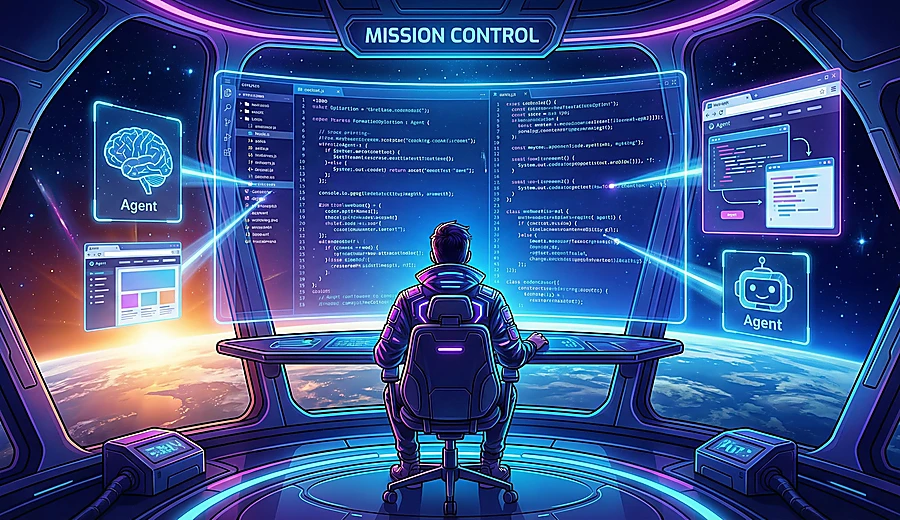
- Mission Control: A new interface design that separates human code editing from AI agent orchestration.
- Trust & Transparency: Uses “Artifacts” to show you exactly what the AI is planning before it executes.
- Free Access: Currently available in Public Preview at no cost.
1. The Developer’s Dilemma: Why Coding Needed to Change
If you are a developer today—or just someone trying to build a website—you know the pain. You aren’t just writing code anymore. You are juggling.
You have your code editor open (like VS Code). You have a terminal running commands. You have 20 browser tabs open looking for documentation, and you are constantly copy-pasting errors into ChatGPT or Gemini.
This is called “Context Switching,” and it is the #1 killer of productivity.
Until now, AI tools like GitHub Copilot were just “fancy autocomplete.” They were like Lane Assist in a car—helpful, but if you took your hands off the wheel, you’d crash.
Google Antigravity is different. It aims to be the Self-Driving Car. It doesn’t just suggest the next line of code; it understands your entire project, plans the route, and drives you there while you watch the road.
2. What is Google Antigravity?
Google Antigravity is an Agent-First Integrated Development Environment (IDE).
That’s a mouthful, so let’s break it down:
- Standard IDE (VS Code): You type code, the computer runs it.
- Agent-First IDE (Antigravity): You tell an AI agent what you want (“Build me a login page”), and the Agent types the code, runs the terminal, and checks the browser for you.
Powered by the massive Gemini 3 model, Antigravity is designed for Autonomous Coding. It isn’t an plugin you install; it’s a whole new platform where the AI is a “first-class citizen.” It lives in the editor with you, not just as a sidebar chat.
Pro Tip: Antigravity is currently in Public Preview. This means you can download it and use the powerful Gemini 3 model for free right now, without hitting the usual paid API limits.
3. The “Mission Control” Interface: A New Way to Work
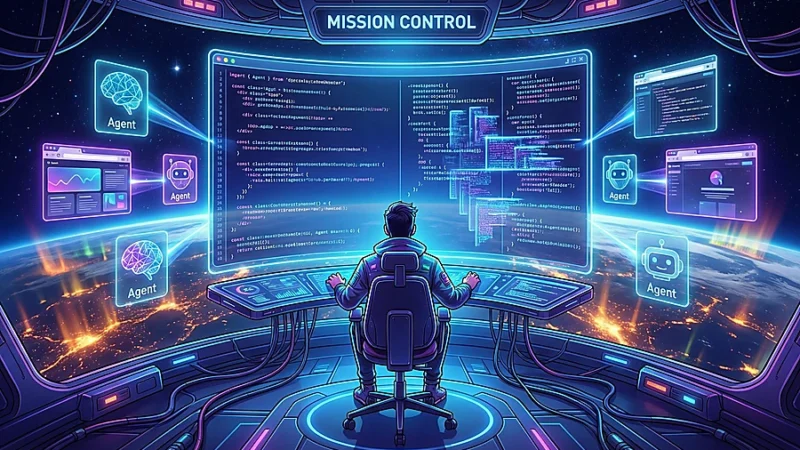
When you open Google Antigravity, it looks different from traditional editors. Google calls this the Mission Control concept.
Instead of just one window for text, the screen is effectively split into two distinct zones:
| Zone | Who Uses It? | What Does It Do? |
|---|---|---|
| The Editor | YOU (The Human) | This is where you review code, make manual tweaks, and polish the final product. It feels familiar, like Sublime Text or VS Code. |
| The Agent Manager | AI (The Agent) | This is where you chat with Gemini. You assign tasks, view the AI’s “Thought Process,” and watch it spawn sub-agents to handle complex jobs. |
Planning vs. Fast Mode
Antigravity gives you two ways to interact with your agent:
- Fast Mode: Great for quick fixes like “Change the button color to blue.” The AI just does it instantly.
- Planning Mode: Essential for big tasks like “Refactor the entire database connection.” The AI will pause, “think” (using Gemini 3’s reasoning), and present a plan before writing a single line of code.
4. Building Trust: The “Artifacts” System
The biggest fear with AI coding is: “What if it breaks something and I don’t notice?”
If an AI changes 50 files at once, how do you trust it? Google solves this with a feature called Artifacts.
When you ask the Antigravity agent to do something, it doesn’t just silently edit your files. It generates a visible Artifact—a card that pops up on your screen showing:
- The Plan: A checklist of what it is about to do.
- The Code: The exact code changes it wants to make.
- The Diff: A side-by-side comparison of “Before” vs. “After.”
You act as the Manager. You look at the Artifact, and you have two choices:
- ✅ Approve: The agent executes the changes.
- ❌ Reject/Edit: You tell the agent, “No, don’t change the font size,” and it revises the plan.
This “Human-in-the-loop” workflow is why Antigravity feels safer than other autonomous tools. You never lose control; you just delegate the heavy lifting.
Part 1 Summary
We have covered the concept of Google Antigravity: it’s a shift from writing to managing, powered by Gemini 3, using a split interface to keep you in control.
But the real magic happens when you let the agent “off the leash.”
COMING UP IN PART 2:
- Browser Control: How Antigravity can open a web browser and “see” your website to fix bugs visually.
- Asynchronous Work: How to assign a task and walk away while the Agent works in the background.
- The Showdown: Google Antigravity vs. Cursor vs. Devin—who wins?
(Stay tuned for the deep dive in Part 2!)
Article Word Cloud image
Affiliate Disclosure:
- Disclosure: This post may or may not contain affiliate links. This means I may earn a commission or other value if you make a purchase through these links. Rest assured, this comes at no extra cost to you and helps support the content creation process. Thank you for your support!