How to Generate High-Click YouTube Thumbnails Using AI (Complete Creator Guide)

🧬 AI YouTube Thumbnail Maker: Build High-CTR Thumbnails with AI and Save Hours of Design Time
🚀 Quick Conclusion
Creating great YouTube thumbnails used to take hours of design work, graphic design tools, and creative experimentation. Today, artificial intelligence can automate much of that process.
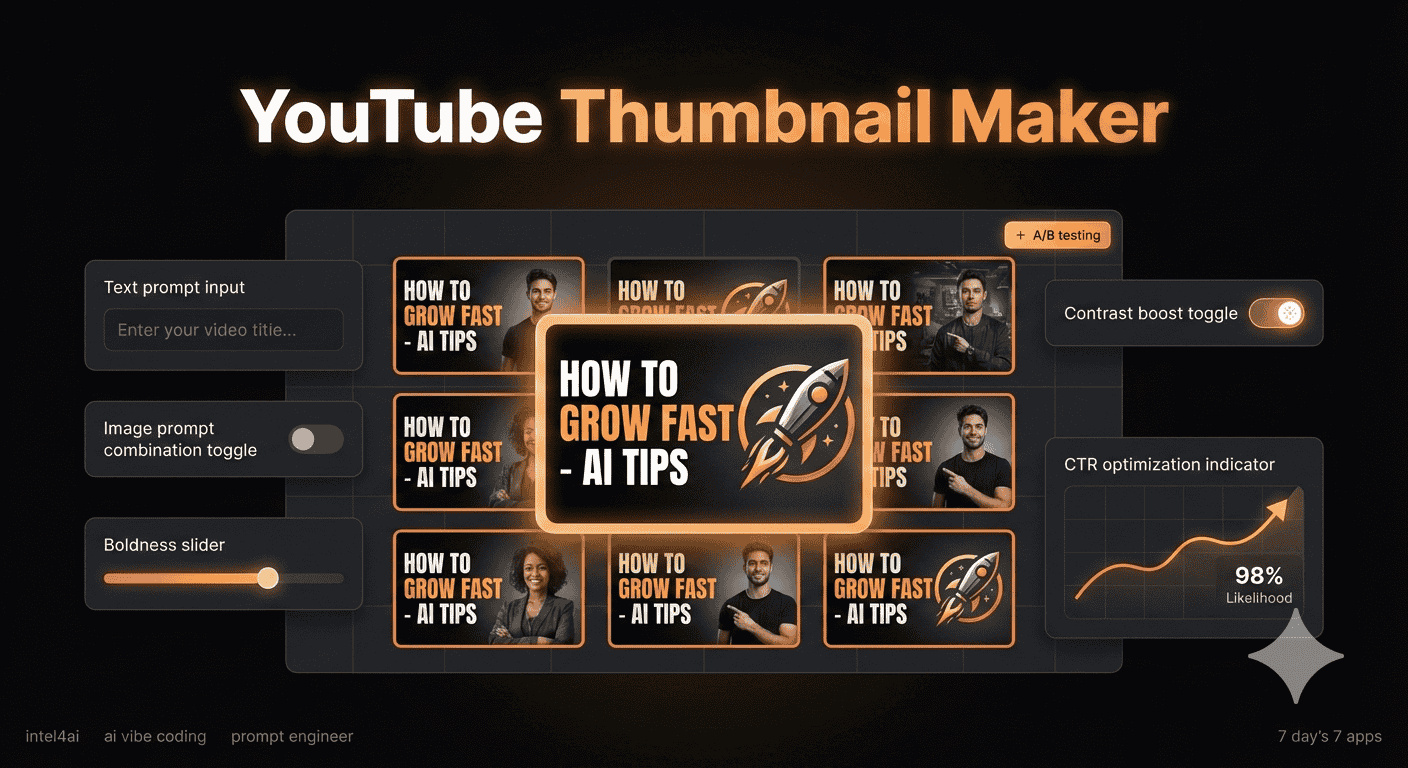
The AI YouTube Thumbnail Maker is an experimental AI app designed to generate high-performing thumbnails automatically using generative AI, prompt engineering, and visual psychology principles.Instead of manually designing every thumbnail, creators can generate multiple optimized variations instantly, test them quickly, and improve video click-through rates.
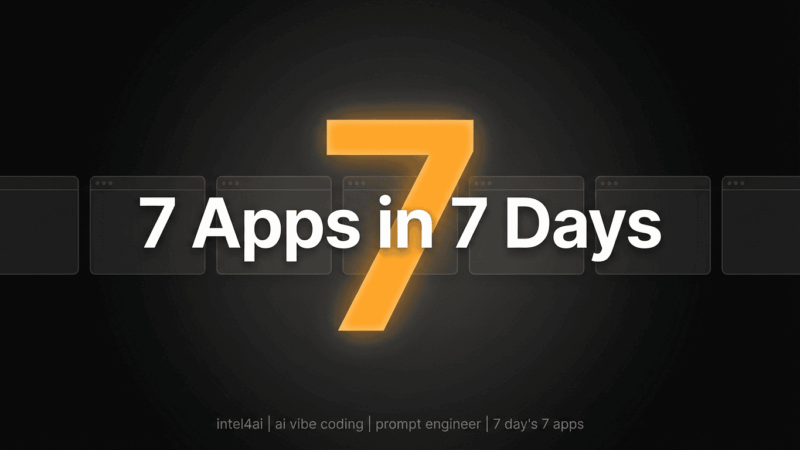
This tool is part of a 7-day AI app challenge, where I built 7 useful AI tools in 7 days, each focused on saving time, reducing manual work, and demonstrating how fast modern AI apps can be built.
🔑 Key Takeaways
- 🤖 AI can generate YouTube thumbnails automatically using text prompts
- 📈 Optimized thumbnails can increase YouTube click-through rate (CTR)
- ⚡ Batch thumbnail generation speeds up content creation workflows
- 🎨 AI design systems remove the need for manual graphic design
- 🧠 Prompt engineering helps control layout, style, and visual hierarchy
- 💰 AI tools reduce outsourcing costs for creators and businesses
Why YouTube Thumbnails Matter for Video Growth and YouTube SEO
A YouTube thumbnail acts as the visual advertisement for your video. When someone scrolls through YouTube search results or recommendations, the thumbnail is usually the first thing they notice. If the thumbnail looks interesting, viewers click. If it does not, they scroll past it. Because of this, thumbnails directly influence one of the most important metrics on YouTube:
Click-Through Rate (CTR).
The Role of Thumbnails in YouTube Click-Through Rate (CTR)
Click-through rate measures how many people click your video after seeing it.
Example:
| Video Impressions | Clicks | CTR |
|---|---|---|
| 10,000 | 500 | 5% |
A better thumbnail can dramatically increase this number. Even small improvements matter:
| CTR | Result |
|---|---|
| 3% | Low engagement |
| 5% | Average performance |
| 8%+ | Strong performing video |
That’s why professional creators spend so much time designing thumbnails.
How High-Performing Thumbnails Influence the YouTube Algorithm 🚀
YouTube’s recommendation system evaluates multiple signals, including:
- Click-through rate
- Watch time
- Viewer engagement
- Session duration
If a thumbnail attracts more clicks, the algorithm receives a signal that the video may be interesting or valuable.
That can lead to:
- More impressions
- More recommendations
- More organic traffic
In short:
Better thumbnails = more video visibility.
Why Most Creators Waste Hours Designing Thumbnails ⏳
Designing thumbnails manually often requires:
- Photoshop or Canva
- Layout experimentation
- Font testing
- Image editing
- Lighting and contrast adjustments
For many creators this process can take 30 minutes to several hours per video.
When uploading multiple videos per week, this becomes a serious time bottleneck.
This is where AI thumbnail generation tools can help.
Introducing the AI YouTube Thumbnail Maker App 🎁
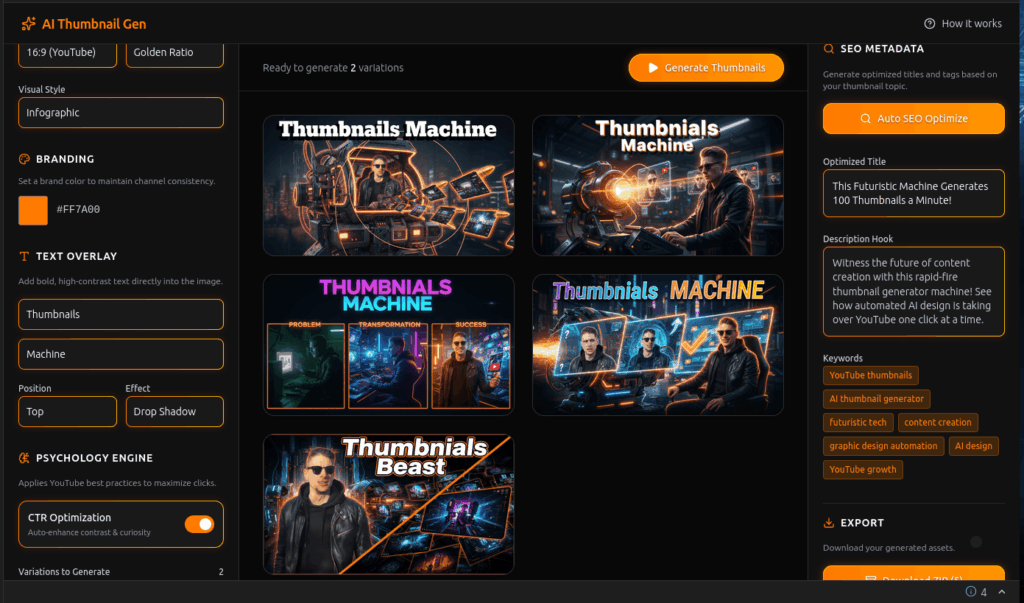
The AI YouTube Thumbnail Maker is a web application designed to automate thumbnail creation using generative artificial intelligence. Instead of manually designing thumbnails, users describe the concept and let the AI generate optimized visuals.
What This AI Thumbnail Generator Does
The app converts a simple text prompt into a YouTube-ready thumbnail.
Example prompt:
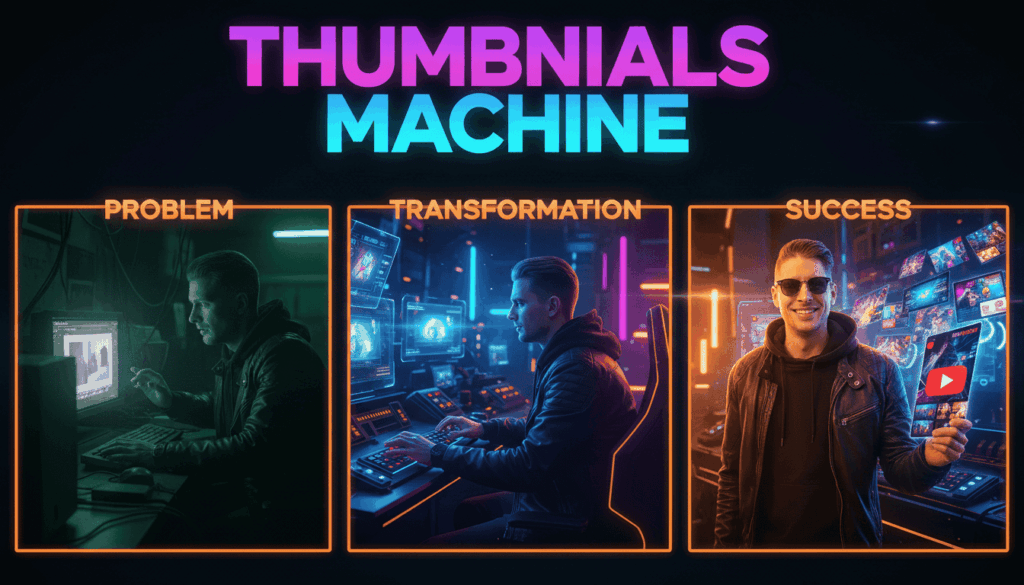
“A futuristic robot editing a YouTube video in a neon cyberpunk studio”
The AI generates:
- thumbnail concept
- composition
- lighting
- visual style
All within seconds.
The Problem This AI Creator Tool Solves
This AI app focuses on solving three common creator problems.
| Problem | Traditional Method | AI Solution |
|---|---|---|
| Slow thumbnail design | Manual editing | Instant AI generation |
| Creative blocks | Trial and error | AI concept generation |
| High design costs | Hiring designers | Automated workflows |
The goal is simple:
Help creators design thumbnails faster while improving visual performance.
Who This App Is Designed For
This tool is useful for several types of creators and professionals.
YouTube Creators
Creators producing frequent videos who need fast thumbnail workflows.
Digital Marketers
Marketers managing video campaigns and optimizing engagement.
Content Creators
Bloggers, influencers, and educators publishing visual content.
Video Editors
Editors who want automated thumbnails to complement video production.
Indie Developers
Developers exploring AI-driven creative tools.
Core Features of the AI Thumbnail Generator 🪖
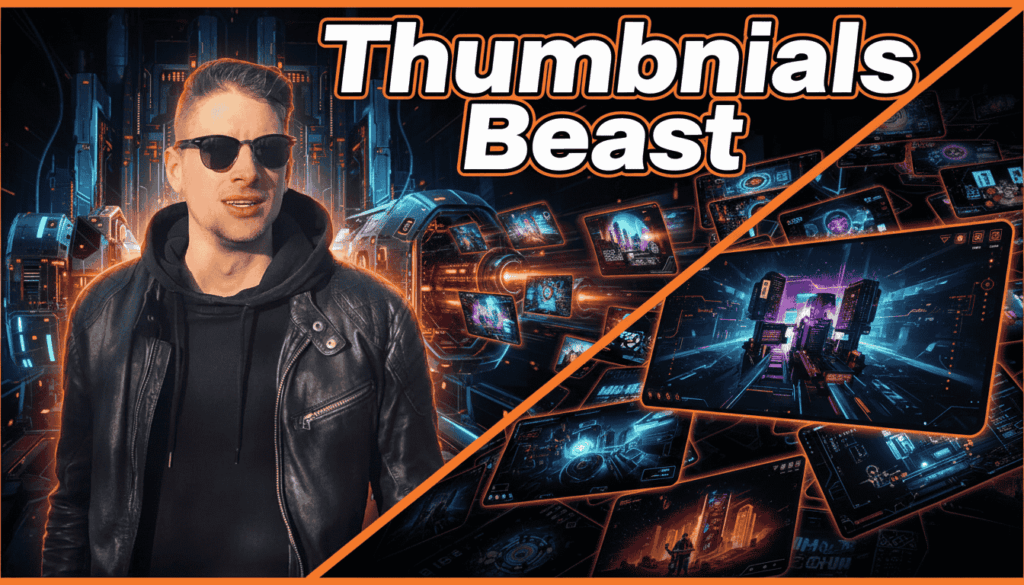
The application includes several systems designed to improve thumbnail quality and generation speed.
AI Thumbnail Generation Using Google Gemini Models
The app uses Google Gemini AI image generation models to create thumbnails.
These models analyze prompts and generate images that match the described scene.
Key benefits include:
- rapid image generation
- creative visual interpretation
- automated style rendering
This makes it possible to generate multiple thumbnail concepts quickly.
CTR Psychology Engine for Higher Click-Through Rates
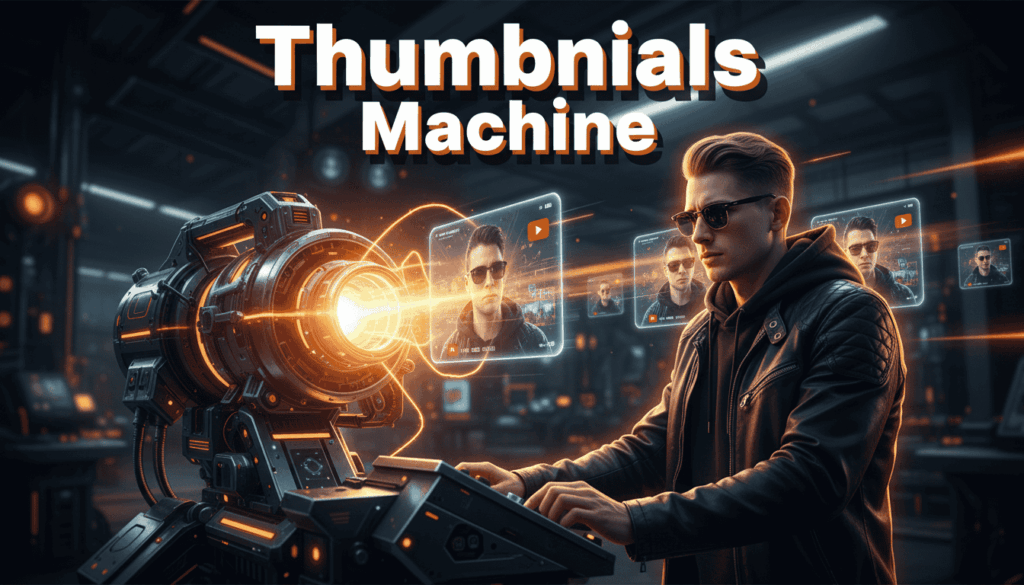
One interesting feature is the CTR psychology engine.
This system enhances images using design principles that encourage clicks.
Examples include:
- stronger contrast
- subject emphasis
- visual curiosity gaps
- dramatic lighting
These adjustments help make thumbnails stand out in crowded YouTube feeds.
Advanced Thumbnail Layout Engine
The application also includes a layout composition system.
Layout matters because it controls how viewers scan an image.
Rule of Thirds Layout System
The rule of thirds divides the image into a grid to position the subject in visually appealing areas.
This creates balanced and professional looking thumbnails.
Golden Ratio Composition
The golden ratio is a classical design technique used to guide visual focus.
It helps create natural visual flow within the image.
Picture-in-Picture Layout
Picture-in-picture thumbnails show:
- main scene
- smaller highlight image
This technique works well for tutorials and comparisons.
Split Screen Thumbnail Layouts
Split layouts allow creators to display two contrasting ideas in a single thumbnail.
Examples:
- Before vs After
- Old vs New
- Good vs Bad
This style often creates strong viewer curiosity.
AI Thumbnail Style Presets for Creator Branding ♣️
Different YouTube channels have different visual identities.
To support this, the AI app includes multiple style presets.
Hyper Realistic Thumbnail Generation
Creates realistic images with cinematic lighting and detail.
Useful for:
- storytelling videos
- documentary content
- dramatic thumbnails
3D Render Thumbnails
3D styled thumbnails resemble game graphics or digital renders.
Often used in:
- tech videos
- gaming channels
- futuristic content
Cyberpunk Style Thumbnails
Cyberpunk presets create neon lighting and futuristic aesthetics.
Popular for:
- AI content
- technology topics
- digital culture videos
Comic Book Style Thumbnails
Comic style thumbnails emphasize:
- bold colors
- graphic outlines
- expressive scenes
These styles are great for entertainment content.
Hybrid styles combine:
- realistic AI imagery
- graphic design overlays
This creates thumbnails that look professionally edited while remaining automated.
Dynamic Text Engine for YouTube Thumbnail Text 🚂
Text plays an important role in thumbnails.
Short phrases can:
- highlight the main idea
- increase curiosity
- explain the video quickly
The app includes a dynamic text overlay system.
AI Generated Thumbnail Headlines
Users can generate short text ideas directly from the app.
Examples:
- “This AI Tool Changed Everything”
- “I Tested 7 AI Apps in 7 Days”
- “You Won’t Believe This Trick”
These phrases are optimized to capture viewer attention.
Text Effects for Visual Impact
Several text effects are included to improve readability.
Neon Glow
Makes text stand out on dark backgrounds.
Gradient Typography
Adds color depth to titles.
Drop Shadows
Improves readability against complex images.
High Contrast Title Design
Ensures text remains visible on small screens.
Batch Thumbnail Generation and Rapid Experimentation 🧑🔬
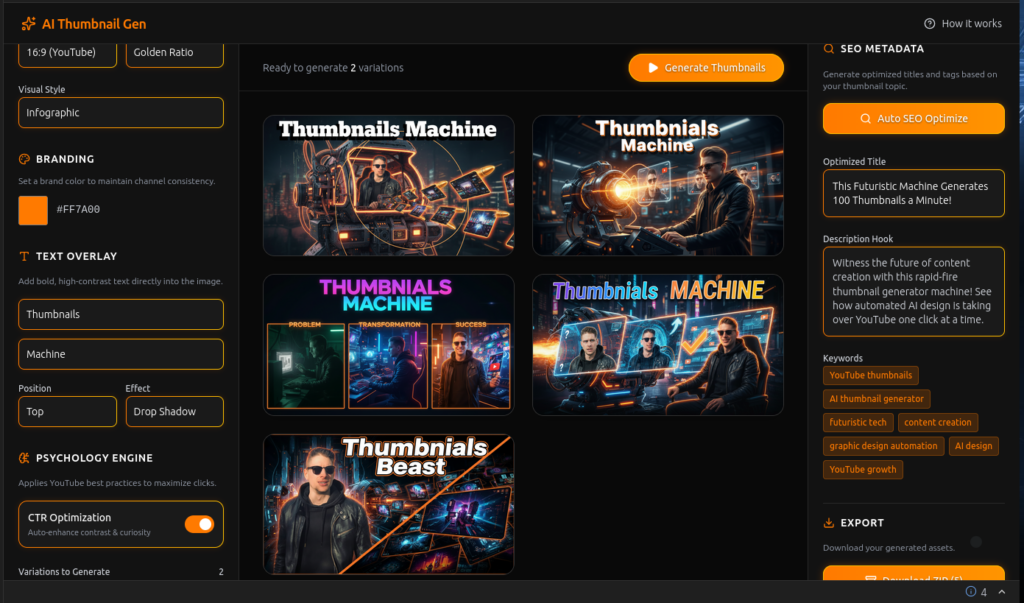
One of the most powerful features of the app is batch generation.
Instead of creating one thumbnail at a time, users can generate multiple variations simultaneously.
Generating Multiple Thumbnails at Once
The app can produce several thumbnail versions in a single generation cycle.
Creators can then choose the best one.
Comparing Variations for A/B Testing
Testing multiple thumbnails helps identify:
- which design attracts more clicks
- which layout performs best
- which visual style resonates with viewers
ZIP Export for Content Pipelines
Once thumbnails are generated, they can be exported as a ZIP file.
This makes it easy to:
- store variations
- upload quickly to YouTube
- organize content production workflows

Automatic YouTube SEO Metadata Generation 🤖
The app also helps with YouTube SEO optimization.
AI Generated Video Titles
AI can generate title ideas based on the thumbnail concept.
AI Description Hooks
The tool can also generate opening description text designed to attract viewers.
Keyword Tags for YouTube SEO
Keyword suggestions help improve discoverability in YouTube search results.
🧬 How the AI Thumbnail Generator Works
The goal of this AI tool is to make thumbnail creation simple, fast, and accessible, even for beginners.
Instead of designing thumbnails manually in complex graphic software, users follow a short workflow where the AI handles most of the creative work.
Step 1 — Describe the Thumbnail Idea
The process starts with a simple text prompt.
Users describe the concept they want for the thumbnail.
Example prompts:
- “A futuristic robot editing a YouTube video in a neon studio”
- “A shocked YouTuber discovering a powerful AI tool”
- “A glowing AI brain controlling a content creation dashboard”
The more descriptive the prompt, the more precise the AI generation becomes.
Step 2 — Choose Layout and Style
After entering a prompt, users can optionally customize the visual structure. The layout engine allows creators to control composition using design systems such as:
- Rule of thirds
- Golden ratio
- Split-screen comparisons
- Picture-in-picture scenes
Users can also choose visual styles like:
- Hyper realistic
- Cyberpunk
- Comic style
- 3D render
These options allow creators to match their channel branding and video theme.
Step 3 — Generate AI Thumbnails
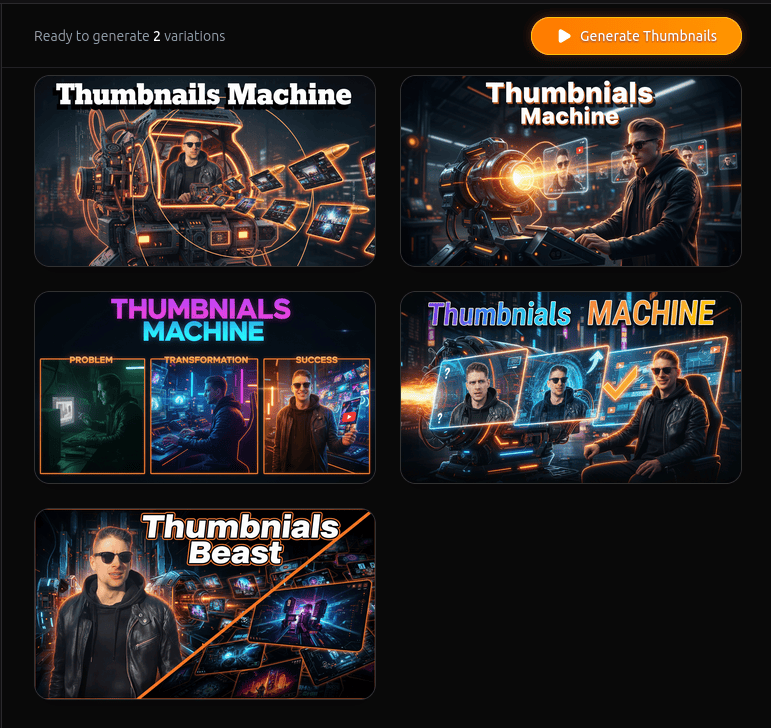
Once the prompt and settings are ready, the app generates thumbnail variations.
Instead of producing a single image, the system can create multiple variations simultaneously.
This gives creators the opportunity to:
- test different visual ideas
- choose the strongest concept
- experiment with creative directions
All generated thumbnails are displayed in a comparison grid.
Step 4 — Optimize Metadata
After selecting a thumbnail, users can generate SEO metadata for their video.
The AI can suggest:
- YouTube video titles
- description hooks
- keyword tags
This helps align the visual thumbnail with search and recommendation optimization.
Step 5 — Export and Publish
Finally, creators can download their thumbnails.
The app allows:
- single image downloads
- full batch exports
- ZIP archive downloads
This makes it easy to integrate the generated thumbnails directly into the YouTube publishing workflow.
Technology Behind the AI Thumbnail Maker 🧑🏻💻
This project was built using a modern development stack designed for speed, flexibility, and experimentation.
React + Vite High-Performance Frontend
The user interface is built with React and Vite, which provide a fast development environment and responsive UI performance. This ensures that creators can generate thumbnails quickly without slow page loading times.
Tailwind CSS Interface System
The design of the application uses Tailwind CSS.
Benefits include:
- flexible styling
- fast UI development
- responsive design for multiple screen sizes
This helps keep the interface clean and simple for beginners.
Google Gemini AI Image Generation
The thumbnail generation engine is powered by Google Gemini AI models. These models interpret prompts and generate visual outputs based on the description provided.
The AI handles:
- scene creation
- lighting
- style interpretation
- composition
This dramatically reduces the manual work normally required for thumbnail design.
Framer Motion Animation Engine
Framer Motion is used for small interface animations. These animations improve the user experience by making the interface feel more interactive and responsive.
How This AI App Was Built in Just One Day 🏗️
One of the goals of the 7-Day AI App Challenge was to demonstrate how quickly useful AI tools can be built using modern technologies.
Rapid AI Prototyping
Modern development tools allow builders to create working applications very quickly.
Instead of building every component from scratch, developers can combine:
- AI APIs
- modern frontend frameworks
- automation logic
This allows prototypes to be built within hours instead of weeks.
Prompt Engineering Workflow
Prompt engineering plays an important role in AI apps. In this project, prompts are carefully structured to control:
- visual style
- image composition
- thumbnail readability
- subject emphasis
This ensures the AI generates images that work well as thumbnails, not just random artwork.
Using AI APIs to Accelerate Development
AI platforms provide APIs that developers can connect to their applications. This allows the app to request image generation from the AI model and display the results instantly in the interface.
As a result, even small teams or individual developers can build powerful tools quickly.
How AI Creator Tools Save Time and Money 💸
AI tools are becoming increasingly valuable for creators and digital businesses. Instead of performing repetitive tasks manually, AI can automate large parts of the workflow. Below is a simple comparison.
| Traditional Workflow | AI Powered Workflow |
|---|---|
| Manual design in Photoshop | Instant AI thumbnail generation |
| Testing layouts manually | Automated layout engine |
| Hiring designers | Automated design assistance |
| Creating one version at a time | Batch thumbnail generation |
| Manual title brainstorming | AI generated SEO titles |
The result is faster content production and lower costs.
For creators publishing regularly, these savings can be significant.
Who Should Use This AI Thumbnail Tool
This application is designed for anyone creating visual content for YouTube.
YouTube Creators
Creators who upload videos frequently can use the tool to speed up thumbnail production.
Content Marketers
Marketing teams can generate thumbnails quickly for promotional videos and campaigns.
Social Media Managers
Professionals managing multiple channels can use the batch generation feature to test different visual strategies.
Indie Developers
Developers interested in AI tools can explore how generative AI can be integrated into creative applications.
Creative Designers
Designers can use the tool as a rapid concept generator before refining thumbnails manually.
Future Improvements for the AI Thumbnail Generator
Like many AI tools, this project can evolve over time. Possible future features include:
- automated thumbnail A/B testing
- AI powered brand style training
- trend-based thumbnail suggestions
- performance analytics integration
- YouTube API integration
These improvements could help creators optimize thumbnails based on real performance data.
Frequently Asked Questions
What is an AI YouTube thumbnail generator?
An AI YouTube thumbnail generator is a tool that creates thumbnail images automatically using artificial intelligence and text prompts.
Can AI thumbnails improve YouTube click-through rate?
Yes. Well-designed thumbnails can attract more clicks. AI tools help generate visually strong designs faster, which can improve CTR.
What size should a YouTube thumbnail be?
The recommended YouTube thumbnail size is:
1280 × 720 pixels
With a 16:9 aspect ratio.
Are AI generated thumbnails allowed on YouTube?
Yes. YouTube allows AI generated images as long as they follow platform policies and do not violate copyright rules.
How do professional YouTubers design thumbnails?
Many professional creators use a mix of:
- graphic design tools
- photo editing software
- experimentation and A/B testing
AI tools can speed up this process.
What AI tools can creators use for thumbnails?
Examples include:
- AI image generators
- AI thumbnail design tools
- graphic design platforms with AI features
These tools help automate creative workflows.
Relevant External Resources
For more information about AI technology and creator tools:
- https://ai.google.dev
- https://blog.youtube/creator-and-artist-stories/
- https://research.google/blog/
Final Thoughts
Artificial intelligence is transforming how creators build and publish content. Tools like the AI YouTube Thumbnail Maker show how AI can simplify complex tasks, reduce manual work, and speed up creative workflows. Instead of spending hours designing thumbnails, creators can now generate multiple high-quality concepts in seconds. For builders, this project also demonstrates something important:
Modern AI tools make it possible to build useful apps extremely quickly. Sometimes even in a single day. And that opens the door for a new generation of AI-powered creator tools.
Navigation 🧭 7-Day Challenge
Explore Apps
| App | Purpose |
|---|---|
| SuperCarMe | AI luxury visual generator |
| Infographics Video Killer | YouTube knowledge extraction |
| AI Assisted Shadertoy | Creative coding with AI |
| YouTube Thumbnail Maker | AI thumbnail generation |
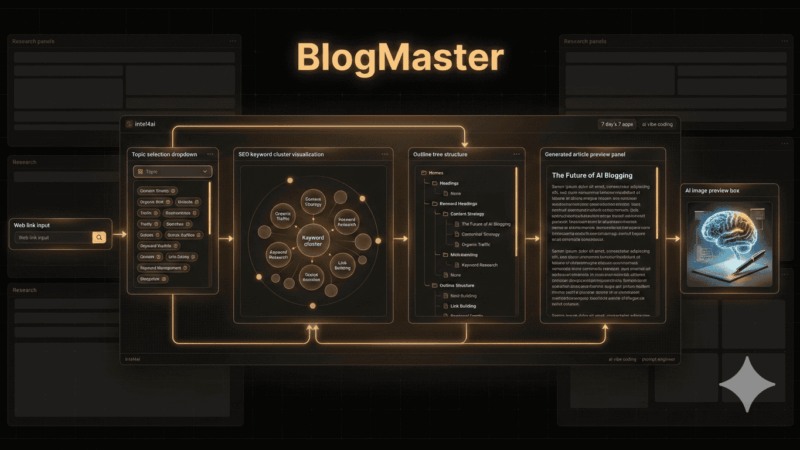
| BlogMaster | AI blog automation system |
| Color Book Genius | AI printable generator |
| Outreach Beast | AI lead generation automation |
⏹️ How To Get These Ai Apps Released For Free?
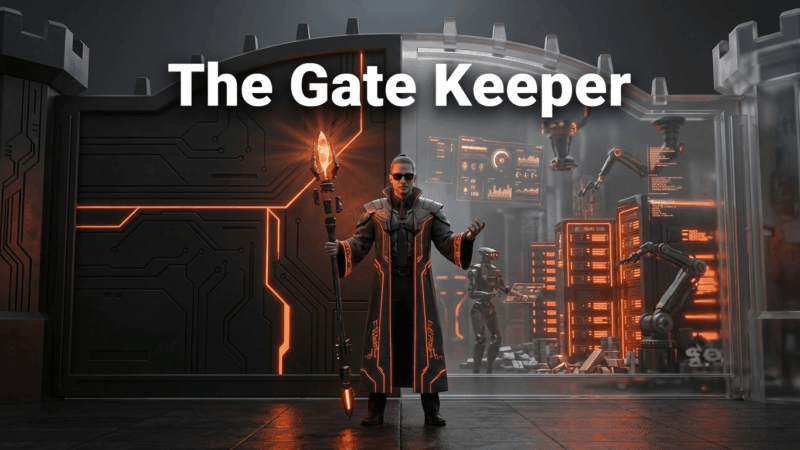
🛑 – Read about the ‘The GateKeeper‘
Affiliate Disclosure:
Disclosure: This post may or may not contain affiliate links. This means I may earn a commission or other value if you make a purchase through these links. Rest assured, this comes at no extra cost to you and helps support the content creation process. Thank you for your support!
🕶️ Article Word Cloud