How to Create WebGL Shaders with AI: A Beginner Guide to AI-Assisted Shader Coding


🪀 AI Assisted Shader Generator: Build Real-Time GLSL Shaders with AI (Beginner Friendly Guide)
🚀 Quick Conclusion (Read This First)
AI is transforming creative coding. What once required deep mathematical knowledge and advanced GLSL expertise can now be accelerated using AI-assisted shader generation. With tools like AI Assisted Shadertoy (GPU Go Brrr), you can describe a visual effect in plain language and generate real-time WebGL shaders instantly. This means:
- ⏱ Faster prototyping
- 💰 Lower development costs
- 🎨 More creative freedom
- 🧠 Reduced technical barriers
If you want to build AI apps that save time, reduce complexity, and increase creative output, this tool shows how generative AI is changing GPU programming in 2026.
🔑 Key Takeaways
- AI shader generators convert natural language into working GLSL code.
- Real-time preview reduces debugging time dramatically.
- Motion designers and developers can prototype in minutes instead of days.
- AI-assisted coding lowers the learning curve of WebGL and GPU programming.
- Creative experimentation becomes faster and more scalable.

🧠 What Is an AI Shader Generator?
An AI shader generator is a tool that uses generative AI to create shader code (GLSL) based on written descriptions. Instead of writing complex GPU math manually, you can say:
“Create a neon pulse wave with glitch distortion and audio reactivity.”
The AI then generates shader logic that can run directly in a WebGL environment.
Why Traditional Shader Coding Is Difficult
Shader programming normally requires:
- Vector math
- Trigonometry
- Understanding GPU pipelines
- Debugging visual output without error logs
For beginners, this is overwhelming. That’s why AI-assisted shader tools are powerful:
They remove the biggest friction point — mathematical complexity.
⚙️ Inside AI Assisted Shadertoy (GPU Go Brrr)
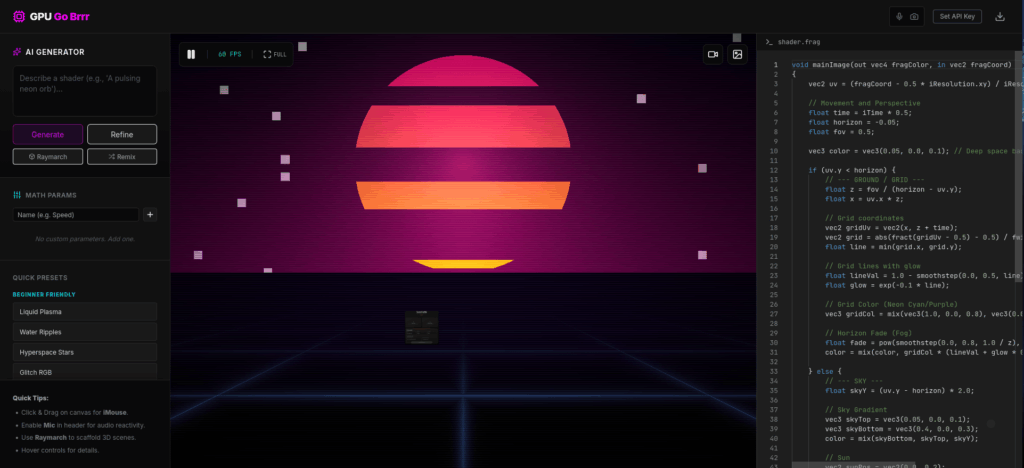
AI Assisted Shadertoy is a dark-mode shader IDE powered by Google Gemini AI. It combines:
- 🤖 AI code generation
- 🛠 Real-time shader editing
- 🎛 Interactive uniform controls
- 🎤 Webcam & microphone input
- 💾 Export to PNG, GLSL, MP4/WebM
Let’s break it down.
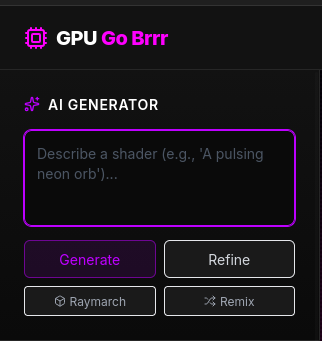
🤖 AI Prompt-Driven Shader Code Generation
You write a prompt. The AI generates:
- Fragment shader logic
- Color transitions
- Animation timing
- Dynamic patterns
This dramatically reduces the time needed to build visual effects. Instead of manually debugging 200+ lines of GLSL, you iterate through prompts.
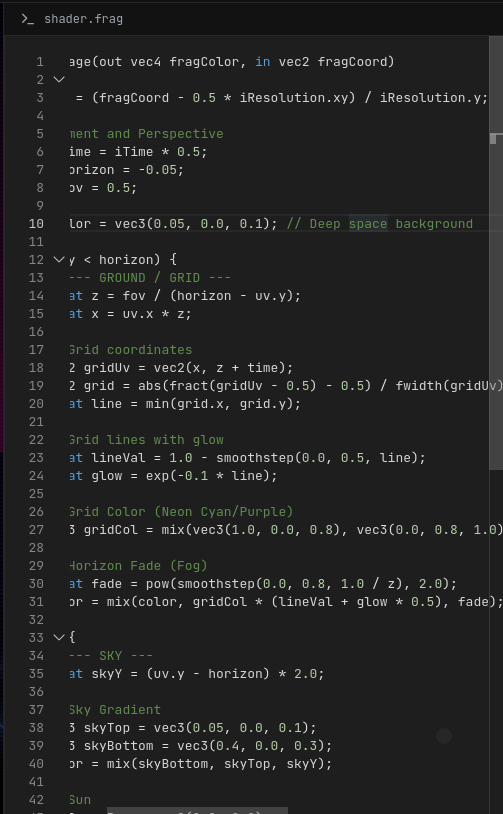
🛠 Real-Time GLSL Editor
The app includes a live editor with syntax highlighting.
Benefits:
- Instant feedback
- Live preview rendering
- Quick parameter adjustments
- No page refresh required
This improves development speed and reduces trial-and-error cycles.
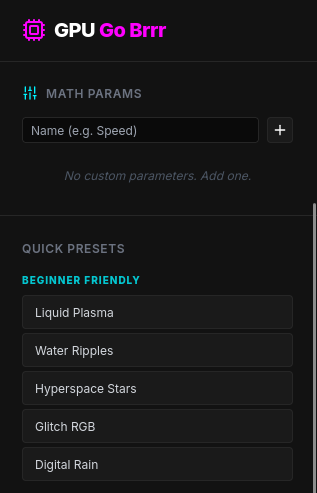
🎛 Interactive Shader Controls
You can modify shader uniforms dynamically.
That means:
- Adjust speed
- Change color intensity
- Modify distortion
- Add wave frequency
Without rewriting the entire shader. For creatives, this feels like adjusting sliders in a visual tool — not writing math formulas.
🎤📷 Audio & Webcam Reactive Shaders
Advanced feature:
- Use microphone input as texture data
- Use webcam feed as shader texture
This enables:
- Audio-reactive visuals
- Live VJ experiments
- Interactive installations
This is where AI + GPU becomes extremely powerful.
💼 Why This Matters for Developers & Creators
Let’s compare traditional vs AI-assisted workflows.
| Feature | Traditional Shader Development | AI Shader Generator |
|---|---|---|
| Learning Curve | High | Beginner-friendly |
| Speed | Slow iteration | Rapid prototyping |
| Debugging | Manual trial & error | Prompt refinement |
| Cost | Specialist required | Lower dependency |
| Creativity | Limited by skill | Expanded through AI |
⏱ Time Savings
AI shader generation can reduce prototyping time by 30–70%, especially for:
- Experimental animations
- Concept testing
- Social media visuals
- Website backgrounds
💰 Cost Savings
Instead of hiring:
- Advanced GLSL engineers
- Motion graphics specialists
You can:
- Generate first drafts internally
- Refine quickly
- Export production assets
🎯 Real-World Use Cases
1️⃣ Motion Designers
- Create animated backgrounds
- Generate unique visual assets
- Speed up client delivery
2️⃣ Web Developers
- Interactive landing pages
- Real-time hero animations
- WebGL UI enhancements
3️⃣ Creative Coders
- Generative art experiments
- AI-powered installations
- Rapid shader sketching
4️⃣ SaaS & AI Builders
- Add dynamic visuals to dashboards
- Improve UX with GPU effects
- Build creative AI tools
🏗 How AI Changes the Creative Coding Workflow
Traditional workflow:
- Study GLSL
- Write math logic
- Debug blindly
- Adjust parameters
AI-Assisted workflow:
- Describe effect
- Generate shader
- Preview instantly
- Refine prompt
The biggest shift is this:
The skill moves from writing math to designing better prompts.
That’s a major productivity upgrade.
🌍 Where AI Shader Tools Fit in the 2026 AI Landscape
AI is now assisting in:
- Code generation
- UI design
- Content creation
- Image generation
- Automation
Shader generation is simply the next frontier. Creative coding — once niche — is becoming more accessible. And when accessibility increases, innovation accelerates.
📊 Quick Summary Table
| Benefit | Impact |
|---|---|
| Faster Prototyping | Build shader ideas in minutes |
| Reduced Technical Barrier | Less math required |
| Real-Time Feedback | Immediate preview |
| Export Options | Video, image, raw code |
| Creative Freedom | Experiment rapidly |

⚡ AI Shader Generator Tutorial: Step-by-Step Guide to Building Real-Time GLSL Shaders with AI
🎯 Why This Section Matters
In Part One, we covered what an AI shader generator is and why it saves time and money.
Now we move into:
- ✅ Step-by-step shader creation
- ✅ Prompt engineering tips
- ✅ Workflow optimization
- ✅ Production considerations
If you’re a developer, creative coder, or digital product builder — this is where practical implementation begins.
🛠 Step-by-Step: Build Your First AI-Generated Shader
This guide uses the AI Assisted Shadertoy workflow (GPU Go Brrr).
Step 1: Define Your Visual Effect Clearly
Before writing any prompt, define:
- What kind of motion?
- What colors?
- Is it reactive?
- Is it minimal or chaotic?
Example Prompt Structure
Create a smooth neon wave animation with purple and blue gradients.
Add subtle glitch distortion and slow pulsing movement.
Loop seamlessly.
Why This Works
AI performs better when you specify:
- Motion type (wave, ripple, vortex, pulse)
- Speed (slow, fast, subtle)
- Style (cyberpunk, organic, minimalist)
- Behavior (looping, reactive, dynamic)
The clearer the intent → the better the shader output.
Step 2: Generate GLSL Code with AI
After submitting your prompt:
- AI generates fragment shader code.
- Code loads into the live editor.
- Real-time rendering begins instantly.
This eliminates:
- Manual setup
- Boilerplate coding
- Basic math scaffolding
Instead of starting from zero, you start from a functional base.
Step 3: Refine Using Prompt Iteration
AI shader generation is iterative.
If the first result is not perfect:
- Adjust motion speed
- Increase contrast
- Modify distortion strength
- Add time-based animation
Iteration Example
Original:
Add glitch distortion.
Refined:
Add horizontal RGB glitch displacement with random flicker every 3 seconds.
Specificity improves output quality dramatically.

Step 4: Use Interactive Shader Controls
AI Assisted Shadertoy allows real-time uniform adjustments. Instead of rewriting code:
- Adjust animation speed
- Modify color intensity
- Increase frequency
- Change resolution scaling
This is powerful for:
- Client previews
- Creative experimentation
- UX fine-tuning

Step 5: Export & Deploy
Export options:
- PNG image
- Raw GLSL shader
- WebM / MP4 recording
Deployment options:
- WebGL website background
- SaaS dashboard animation
- Social media video asset
- NFT / generative art collection
- Interactive landing page
You now have production-ready GPU visuals.
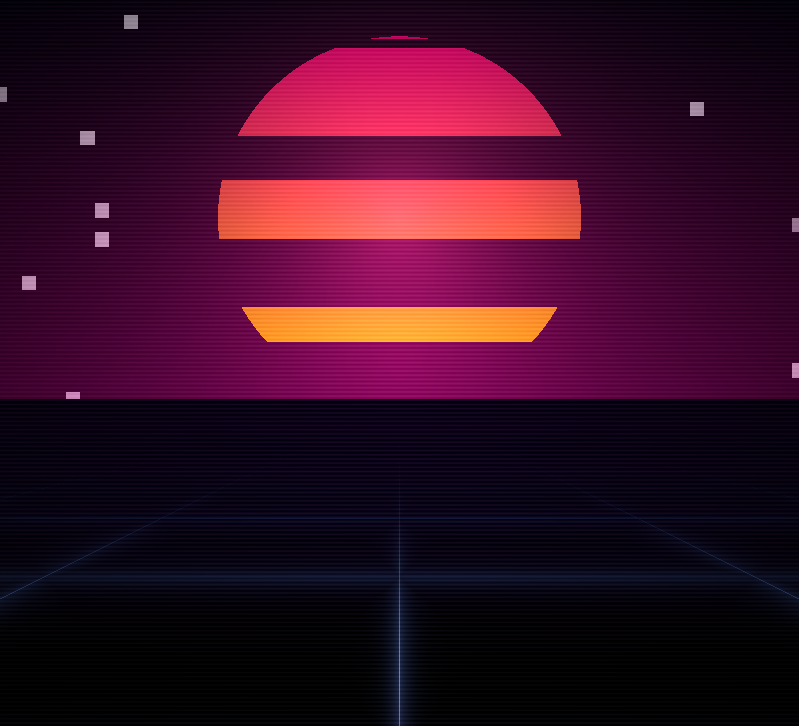
Shader Ai App Output Example
Generate any YouTube video background just with one text prompt. The possibilities are endless.
📊 AI Shader Generator vs Traditional Shader Development
| Feature | AI Shader Generator | Traditional GLSL Coding |
|---|---|---|
| Setup Time | Minutes | Hours |
| Math Knowledge | Minimal | Advanced |
| Iteration Speed | Fast | Slow |
| Debugging | Prompt refinement | Manual debugging |
| Creative Flexibility | High | Skill-limited |
Key Insight
AI doesn’t replace knowledge — it compresses the time needed to apply it.
💰 Business & Monetization Opportunities
AI shader tools are not just creative toys. They create leverage.
1️⃣ Faster Client Delivery
Motion designers can:
- Deliver first drafts same day
- Increase project throughput
- Reduce outsourcing
2️⃣ SaaS Product Differentiation
Add:
- Animated dashboards
- GPU-based data visualization
- Interactive hero sections
Modern UX increases retention.
3️⃣ Digital Asset Monetization
You can sell:
- Looping visual packs
- Background animations
- NFT collections
- Visual presets
4️⃣ Reduced Hiring Costs
Instead of:
- Dedicated GLSL specialist
You can:
- Use AI for 80% of groundwork
- Have engineers refine final output
❓ Frequently Asked Questions (FAQs)
1️⃣ What is an AI shader generator?
An AI shader generator uses generative AI models to create GLSL shader code based on natural language prompts.
2️⃣ Do I need to know math to use AI shaders?
Basic understanding helps, but AI significantly reduces the math barrier.
3️⃣ Can AI-generated shaders be used commercially?
Yes, but always review and optimize performance before production deployment.
4️⃣ How much time can AI shader tools save?
Prototyping time can be reduced by 30–70%, depending on complexity.
5️⃣ Is AI shader generation safe for browsers?
GLSL runs in a WebGL sandbox, but heavy shaders can stress the GPU.
6️⃣ What industries benefit most from AI shader tools?
- Motion design
- Web development
- SaaS platforms
- Digital art
- Interactive marketing
🧠 Final Conclusion
AI-assisted shader generation represents a broader shift:
“` From manual technical complexity“`
→ to prompt-driven creative workflows.
The skill is no longer:
“Can you write advanced math?”
The skill is now:
“Can you design effective AI workflows?”
That is the future of AI app development.
Navigation 🧭 7-Day Challenge
Explore Apps
| App | Purpose |
|---|---|
| SuperCarMe | AI luxury visual generator |
| Infographics Video Killer | YouTube knowledge extraction |
| AI Assisted Shadertoy | Creative coding with AI |
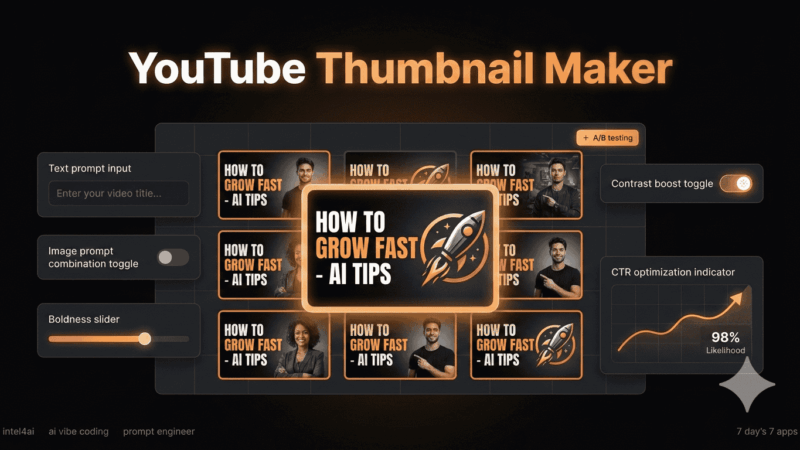
| YouTube Thumbnail Maker | AI thumbnail generation |
| BlogMaster | AI blog automation system |
| Color Book Genius | AI printable generator |
| Outreach Beast | AI lead generation automation |
⏹️ How To Get These Ai Apps Released For Free?
🛑 – Read about the ‘The GateKeeper‘
Affiliate Disclosure:
Disclosure: This post may or may not contain affiliate links. This means I may earn a commission or other value if you make a purchase through these links. Rest assured, this comes at no extra cost to you and helps support the content creation process. Thank you for your support!
🕶️ Article Word Cloud